

A Christmas cat background is a ready-made AI template that drops your pet into a holiday scene or costume without ever wrestling them into a real Santa suit.
Resolution is the hidden problem: an HD file looks fine on your phone but turns a printed 5×7 into soft whiskers and regret.
Most generators offer free daily credits, so you can burn a few tries on a cat with three eyes before landing one worth keeping.
[link-whisper-related-posts]Santa Cat Outfits
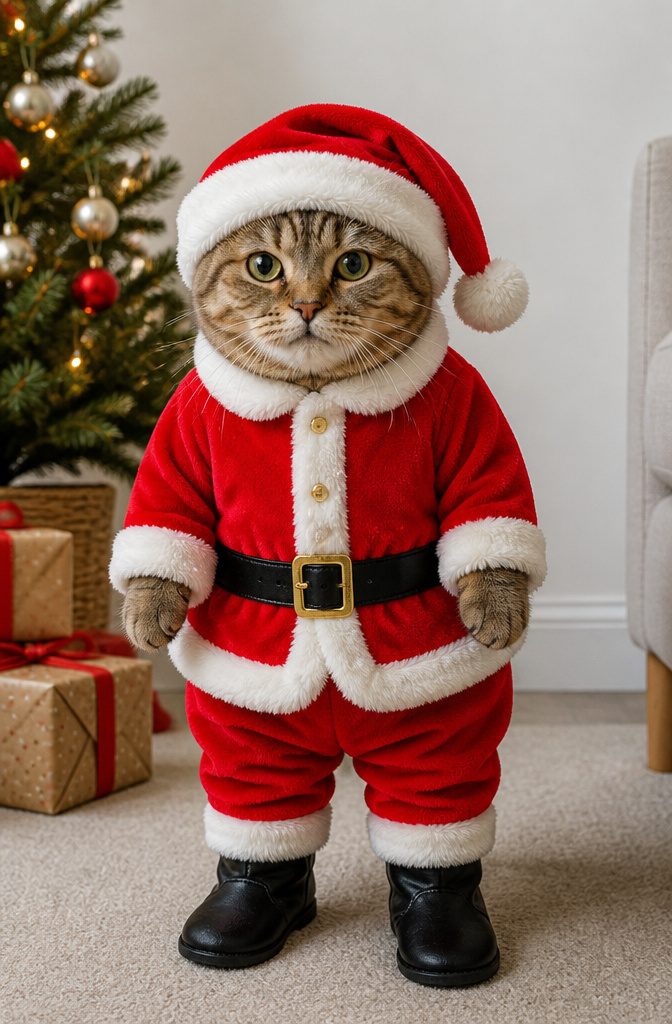
The Santa cat outfit template turns a regular photo of your cat into a holiday image with a full red suit, white trim, and the little black boots.
Clear, well-lit photos work best, especially front-facing or slightly angled shots where the face is fully visible. Simple backgrounds help the AI keep the focus on the costume rather than blending it into whatever was behind your cat.
A cluttered kitchen counter behind your cat will make the Santa outfit details muddy, so clear the scene first.
The AI had to guess which objects belonged in the final image. A shot against a plain wall worked far better.
Once you generate the image, you can download it in HD, 2K, or 4K quality.
HD is fine for phone wallpapers or social posts. If you are printing it for a card or a framed gift, 2K holds up well, and 4K gives you room to crop without the edges going soft.

Package:1 PCS 7ftx5ft (215x150cm)christmas backdrop included.Backdrop Stand or Clips are Not included

Size:7x5FT(2.1mx1.5m).christmas backdrop for photography.

Sturdy Fabric for Years of Festive Photos: Crafted from polyester, this Christmas backdrop holds its vibrant colors and resists tearing a worthwhile investment for countless holiday seasons
Elf Costumes
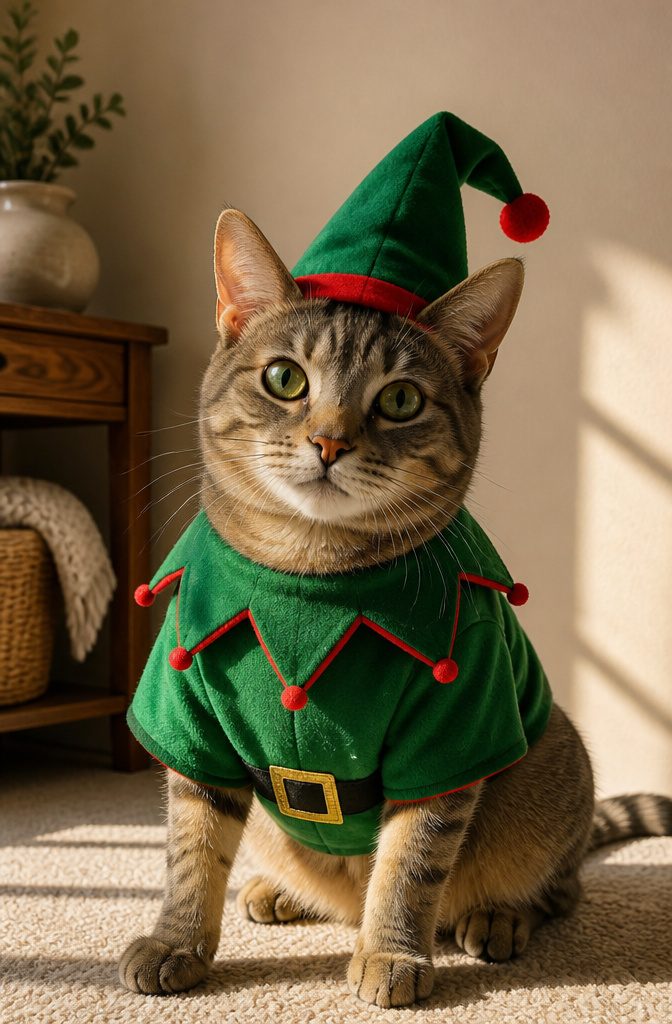
Elf costumes were the first template I tried on my own cat, mostly because the idea of a green tunic and pointed hat felt less absurd than a full Santa suit.
The AI generators that offer these templates usually build the outfit onto a seated or standing body, which means front-facing or slightly angled shots give the cleanest result.
A profile view tends to warp the collar or leave one ear floating outside the hat brim.
Templates work best when your cat faces the camera with both eyes visible, so timing the shot matters more than the costume choice.
Slight head tilts were fine; extreme angles made the elf boots clip into the paws or disappear entirely.
Simple backgrounds helped too, though that mattered less than the angle. Busy patterns behind the head sometimes bled into the hat trim.
If your cat tolerates sitting still, a straight-on shot at eye level saves you from the weird foreshortening that happens when you shoot downward.
The elf template is forgiving on body type, but the face is where the AI spends its detail budget. Get that part right and the rest mostly takes care of itself.


Reindeer Looks
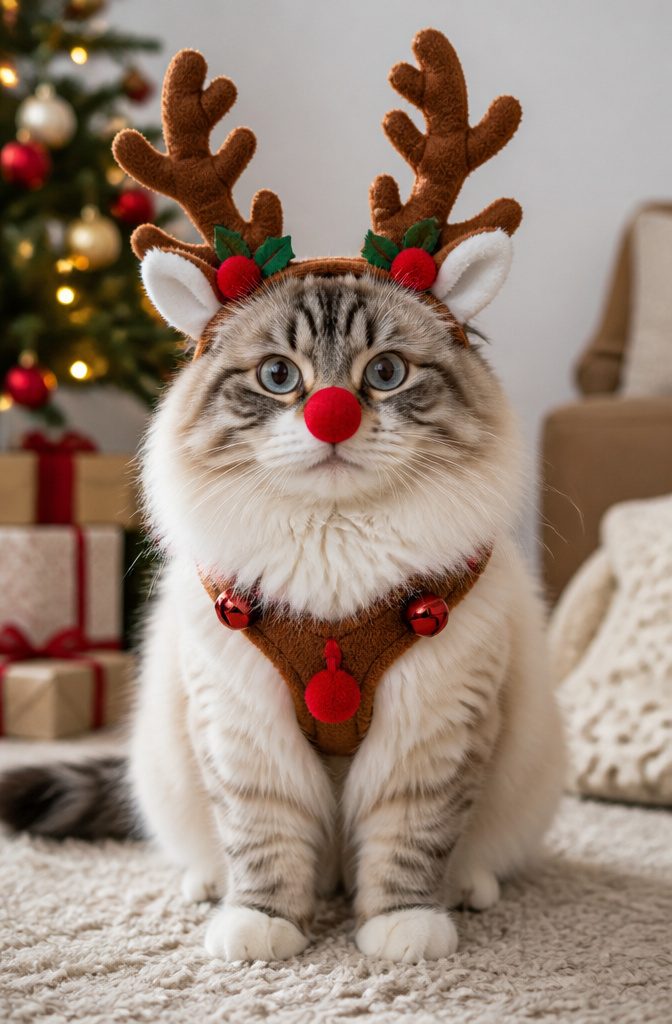
The reindeer look is one of the ready-made templates that turns a regular photo of your cat into something seasonal without needing a real costume in the house.
You upload the photo, the AI generates the transformation, and the antlers, red nose, and harness appear around your cat’s own face and expression.
That last part matters: the better generators keep the eyes and whiskers recognizable, so the result reads as your cat dressed up rather than a generic clip-art animal.
The reindeer template works best on cats with lighter fur, where the brown harness and tan antlers show up with some contrast.
On a dark tabby or black cat, the details can sink into the coat and you end up with a vague festive lump.
If your cat falls in that range, the Santa hat or elf outfit templates tend to read more clearly for the same effort.
The reindeer look also needs a front-facing or three-quarter photo to place the nose and antlers correctly; a side profile leaves the AI guessing at symmetry, and the results get weird fast.

Package Including: Christmas cat elf hat x 1, christmas cat jingle bell collar x 1, please check whether the accessories are complete after receiving the package. Size: The...
Cozy Winter Scenes
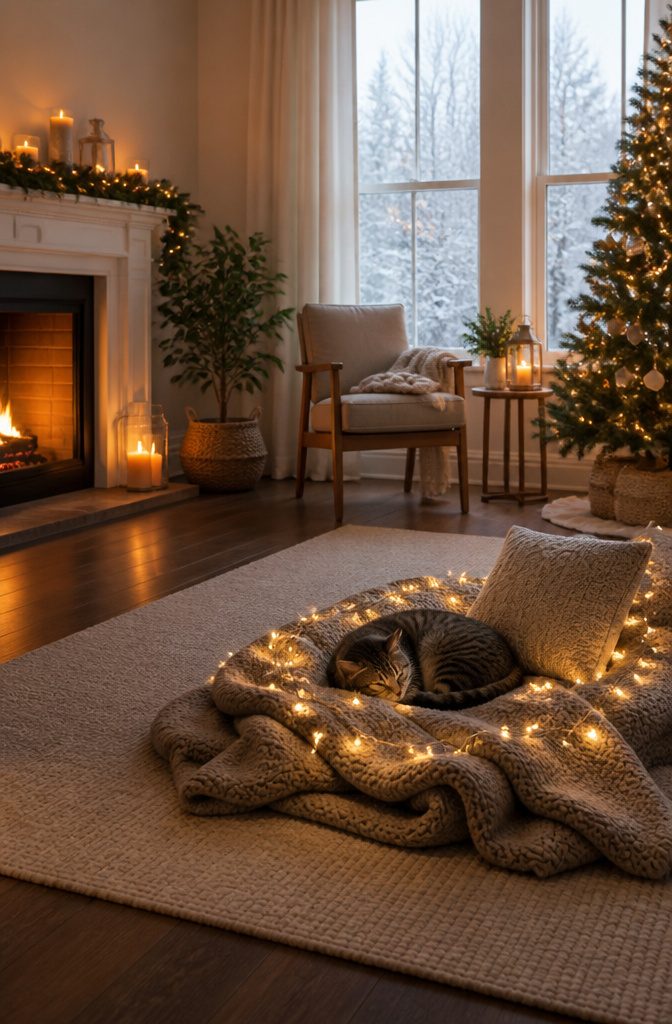
A cozy winter scene template keeps the cat as the clear subject while wrapping it in soft holiday atmosphere.
Think knitted blankets, dim string lights, and a window showing frost rather than full snowfall. The AI handles the lighting and texture work, so the cat does not need to wear anything or sit in an unusual pose.
That makes this one of the easier starting points for beginners, especially if the original photo was taken in ordinary indoor light.
The ready-made prompt builds the scene around the cat you upload.
You pick the template, add the photo, and the generator fills in the rest. No need to describe the angle of the lamp or the weave of the throw yourself.
From what I have seen comparing outputs, the winter scene templates forgive more than costume options do.
A slightly blurry paw or an odd ear position matters less when the cat is curled on a cushion than when it is supposed to be wearing a structured Santa hat.
The background carries the festive weight, not the cat’s silhouette.
The more specific you get, the fewer templates will match. You get atmosphere faster, but you give up control over which ornaments appear or how the window frame looks.
For a renter posting to Instagram or a holiday card that needs to read "December" without needing "exactly my living room," that exchange usually works.

Billionchains Christmas pet costume set includes deer antler headdress and scarf, making your pet super cute and full of holiday vibe. Besides Christmas family gatherings, it’s also a great choice for holiday costume contests, daily cosplay, pet birthday parties and family Christmas photoshoots.

Large size: You'll get a Christmas red truck photo booth frame along with a 6m (19.68ft) white rope. The winter Christmas party photo prop measures 110x190 cm (43x75 inches), making it an eye-catching festive decoration that fills the space with holiday spirit. It is also great for capturing unforgettable group photos.

[Get the Perfect Christmas Selfies] Enjoy your holiday party with this fun set of Christmas photo booth props. This Christmas party photography props kit includes 32PCS various styles Christmas photo props and 9PCS party paper eyeglasses. An interesting Christmas party supplies set makes your photo more individual and full of personality!
Christmas Trees
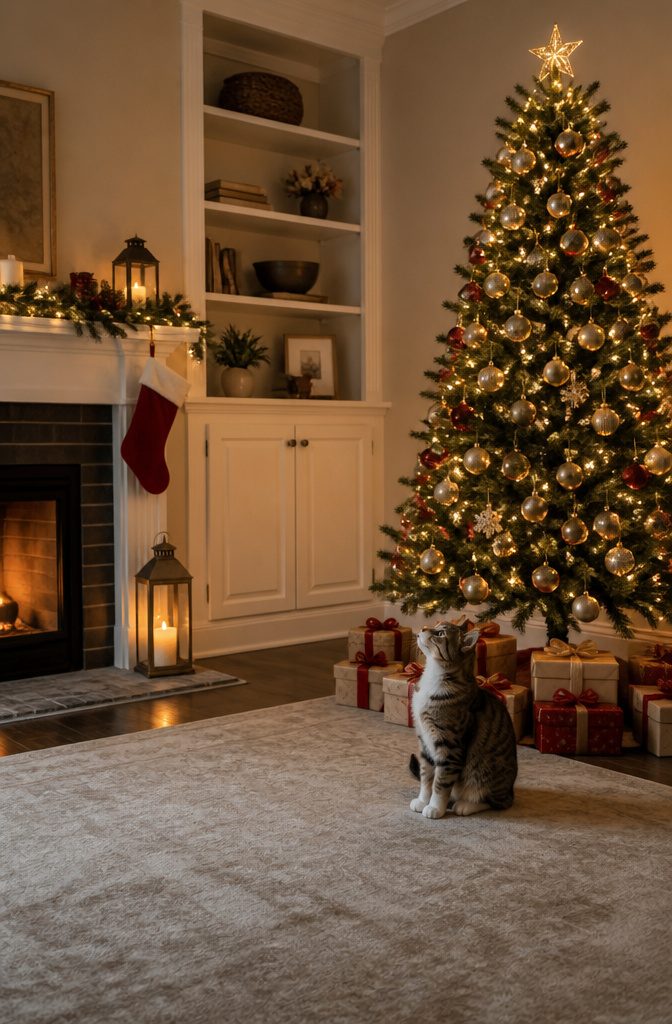
A Christmas tree backdrop drops the cat straight into the scene everyone recognizes, no Santa hat required.
The templates keep the cat’s face and expression intact while building out the full setting behind them: ornaments, lights, and the triangular green shape that reads as holiday even at thumbnail size.
I tried one of these last year with a photo of my sister’s tabby.
The generator kept the cat’s slightly annoyed blink but wrapped the whole image in warm tones and a decorated fir. The result looked like something you’d actually send in a card, not a sticker slapped on a stock photo.
The tree templates work best when the cat’s pose has some vertical energy — sitting upright, stretching, that classic "loaf but alert" stance. A fully horizontal sprawl can fight the composition and leave the cat looking pasted in rather than placed.
The ready-made options from most generators include both classic decorated trees and more stylized versions.
Pick the one that matches whatever else you’re doing with the image. A cozy fireplace card next to a minimalist geometric tree looks like two different holidays.

🎅🎅【Dimensions and Materials】: Winter Christmas photography backdrop measures 7 x 5 ft (2.1 x 1.5 m) (background only, no stand); light weight, easy to store and carry. Harmless and odorless. Perfect for taking photos with family and friends, adding a special sense of ceremony to the upcoming Christmas day.

❉Package:Only 1 piece 7ftx5ft (215x150cm) winter backdrop included. Backdrop Stand or Clips are Not included.

【Durable Polyester Material】:This Christmas backdrop is made of high-weight polyester. It’s soft, wrinkle-resistant, and not see-through. Reusable and easy to fold, it works well for indoor or outdoor photography backdrops.
Snowy Backdrops
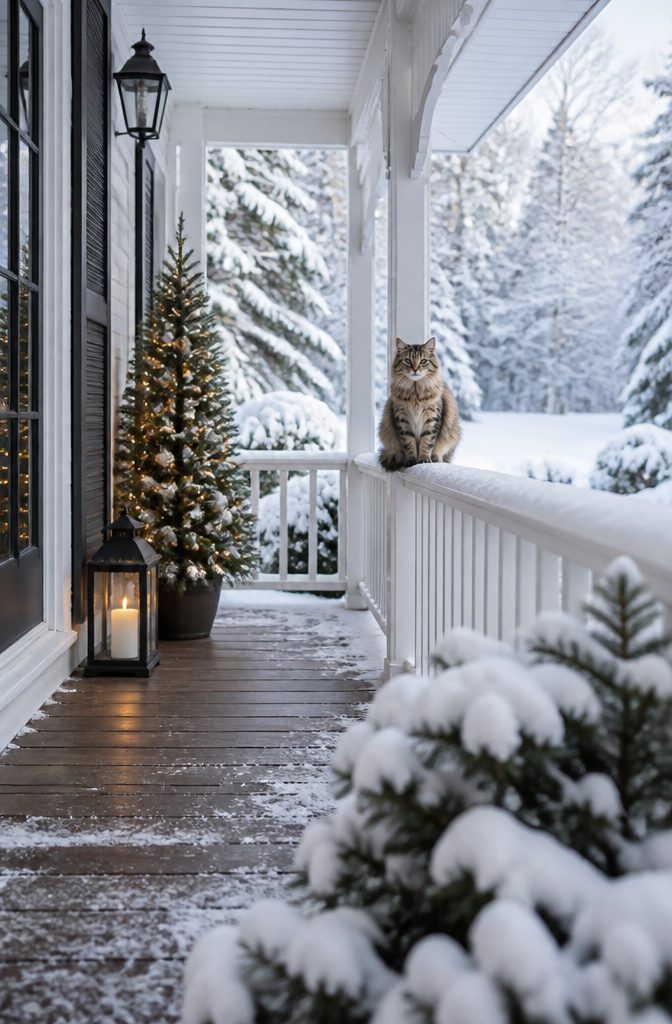
A snowy backdrop template drops the cat straight into a winter scene without a single prop cluttering your living room.
No fake snow to vacuum, no glitter in the couch cushions, just the look of a fresh December morning behind them.
Last year’s test with a cat who destroys anything dangling proved that props need to be digital, not physical.
The template put her on what looked like a quiet porch with snow piled on the railing, and the seasonal atmosphere came through without the stress of a real setup.
The snow reads as festive because of the color temperature, that pale blue-white light that signals winter to the eye, not because anything in the frame needs to be real.
Most generators offering Christmas cat backgrounds include a few snowy options alongside the Santa hats and fireplaces.
Pick one with softer detail in the background, not individual snowflakes rendered sharp enough to look pasted on. The cat stays the subject, the snow does the seasonal work, and your weekend stays free of cleanup.

【Size&Color】:7x5ft/(84x60inch), 2D high definition printing effect, bright color. Not easy to reflect and fade.

Size:7x5ft Christmas backdrop(2.1x 1.5m).(This product uses the vinyl printing process)

【Size&Color】:7ft(width) x 5ft(height), Christmas backdrop,High-resolution digital print with eye-catching details and lifelike colors.No reflective or faded.
How AI Christmas Cat Photo Generators Work
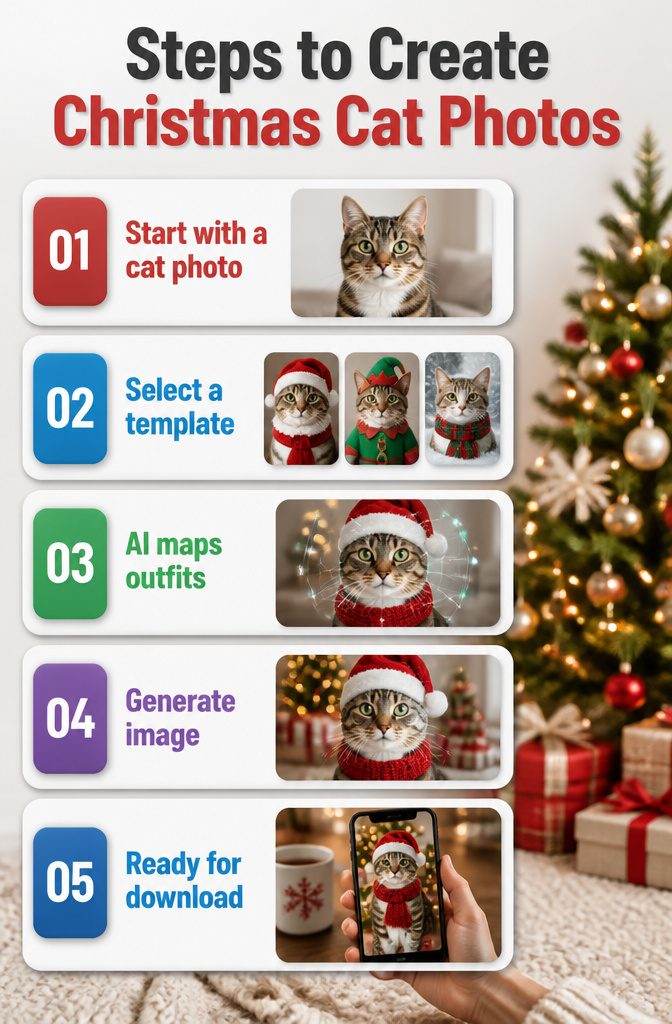
Most Christmas cat backgrounds start with a photo already on your phone.
The tools that build them are built for people who have never opened Photoshop; you upload the shot, pick a template, and the rest happens without you touching a layer mask or color wheel.
The templates break down into a few clear types. Santa outfits, elf costumes, and cozy winter scenes are the ones these generators push hardest, and they are the ones that actually work on a cat who will not sit still.
The AI maps the holiday elements onto your cat’s shape, so the Santa hat lands on the head and the scarf wraps where a neck should be, not where the algorithm guesses.
I spent an afternoon running a few of my own cat’s photos through one of these tools to see where it falls apart.
The ones that look best in the preview are the ones with clean backgrounds and decent daylight on the fur; a dark photo against a cluttered couch turns into a blob with a misplaced elf collar.
The generators do not fix your lighting, they just dress what is there.
The real appeal is speed. No design skill means no weekend lost learning software.
Upload, choose, generate. The whole loop takes under a minute, and the output is ready for a phone wallpaper or a holiday text to the family group chat.
Image Quality for Print and Share
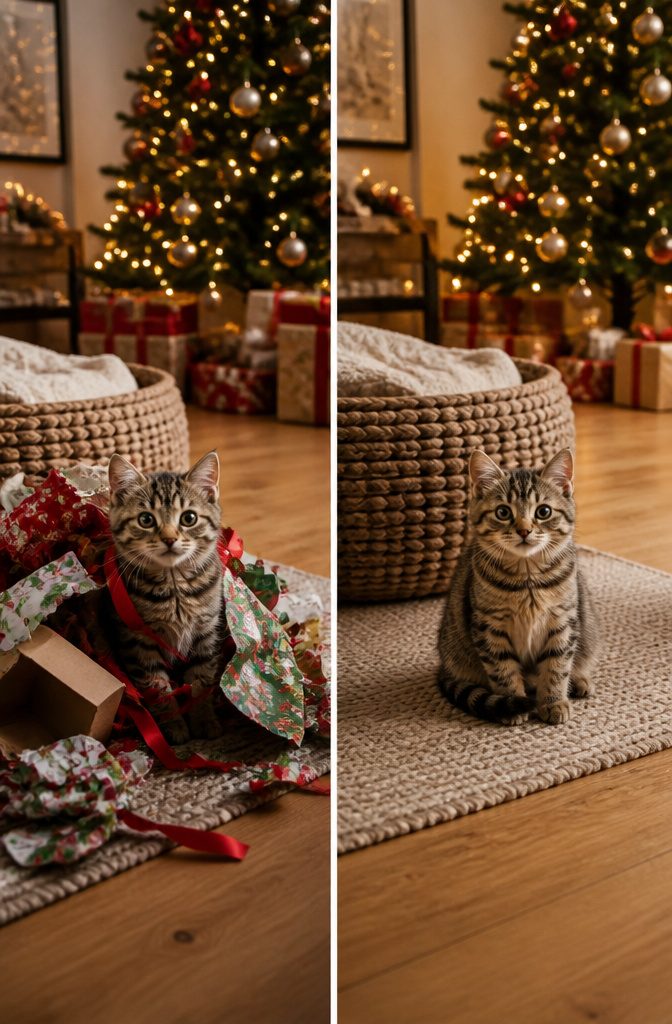
The resolution you download matters more than most people think until they see the result. Generated images come in HD, 2K, or 4K, and the difference shows up fast once you try to print.
HD works fine for phone wallpapers or Instagram posts where people scroll past. The pixels hold up at arm’s length.
But last year I tried to print a holiday card from an HD file, and the cat’s whiskers went soft at 5×7. The image looked crisp on screen because screens lie.
2K gets you clean 5x7s and decent 8x10s. 4K is where you can go bigger, or crop tight and still have edge sharpness left for the print shop.
Social media compresses everything, so HD posts there look identical to 4K posts.
The place you feel the extra resolution is in the physical card your mother-in-law saves on her fridge. Watermark-free exports matter too, because a logo in the corner of a Christmas card reads as borrowed, not made.
My take: start the project in 4K if the generator offers it. You can always shrink for a screen; you cannot invent pixels later for the printer.
Free Daily Credits
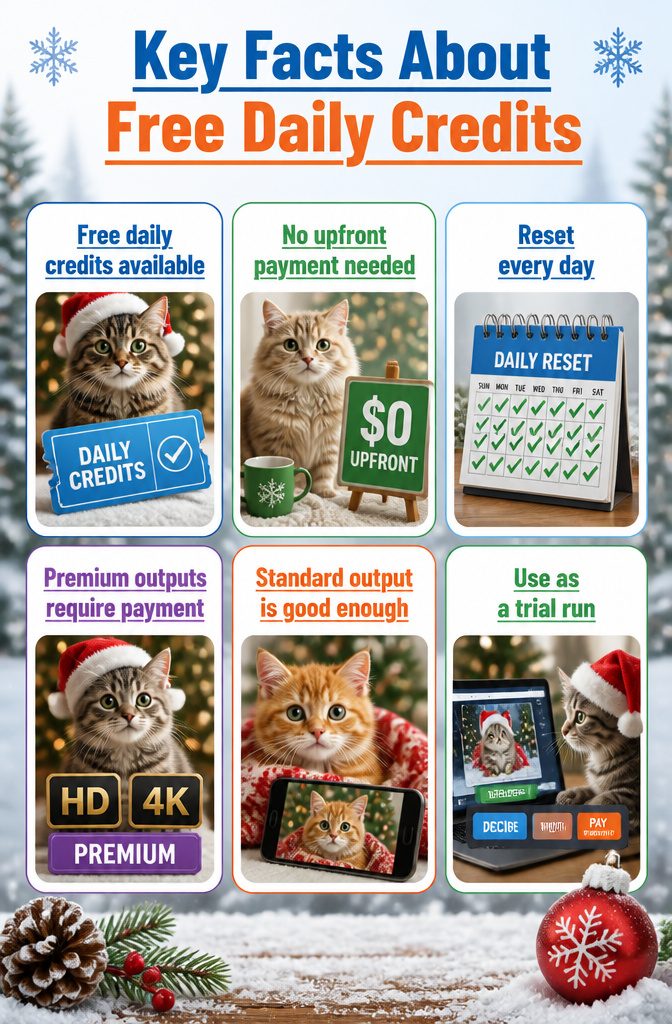
Most AI Christmas cat photo generators hand out free daily credits just for opening the tool, which means you can test a Santa hat template on your tabby or drop a Persian into a snowy scene before deciding whether the results are worth keeping.
I burned through my first batch of credits on duds: a cat with three eyes, another floating in mid-air beside the tree.
Those failures cost me nothing but a minute, and by the third try I had learned which prompts the generator actually understood.
The credits reset each day, so a weekend project needs no upfront payment at all.
Premium downloads in HD or 4K will eat into a paid balance if you want them, but the standard output is plenty sharp for a phone wallpaper or a holiday Instagram post.
My advice is to treat those daily credits as a trial run. Generate, decide, then pay only if the image is good enough to print.

Lovely Christmas Dress: Classy toddler little girl Christmas Mrs Santa Claus Reindeer princess tutu tulle dress child dress Xmas holiday tutu skirt. Fashion Xmas pattern design printed, dress with glitter, make your kids fashion and cute. Little kids girls Xmas holiday dress featuring beautiful design, super comfortable and easy to move around in;

Christmas reindeer antlers with ears: the Christmas reindeer headband comes with red plush reindeer antlers and elastic chin strap, which can tie a knot and keep the headband securely on the head of your dog; The fuzzy fabric ears and elastic band make it comfortable for your pet to wear
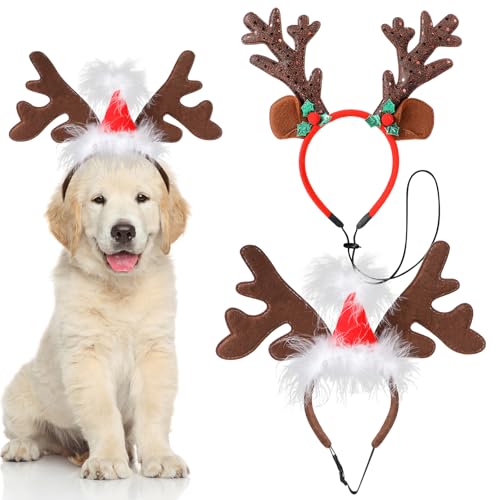
Package Including: You will receive two different styles of dog Christmas elk headbands. One dog Christmas headband with Santa hat decoration and one dog Christmas headband with elk ears and sequin antlers. You can freely match them according to your dog's dress code for different occasions.
Getting the Best Photo of Your Cat
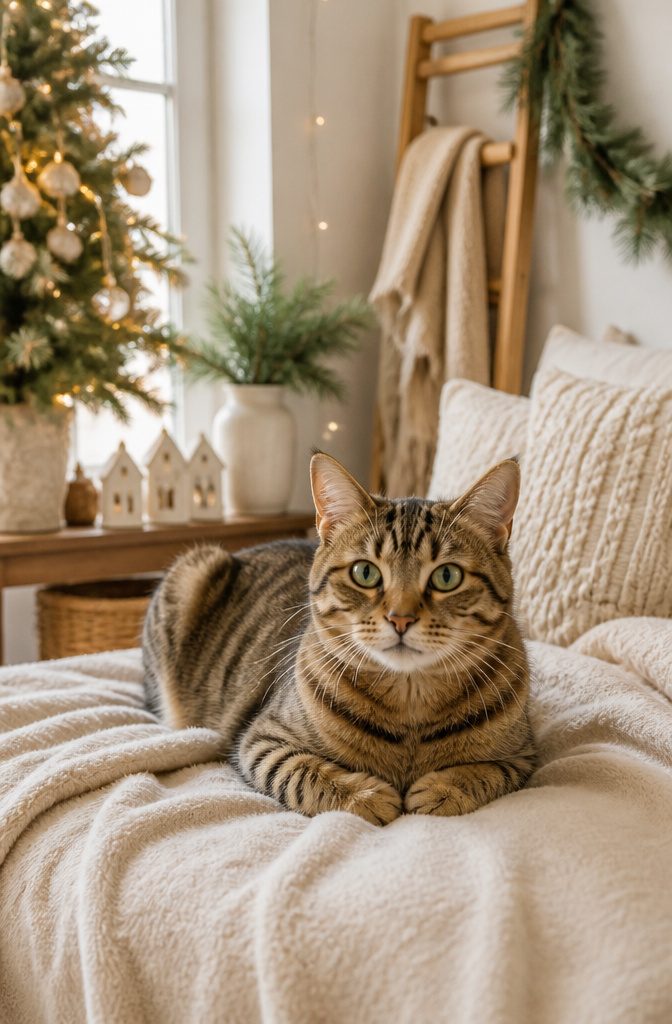
The clearest photos of cats for any Christmas background start with front-facing or slightly angled shots where the face is fully visible.
My own cat ducks her head at the shutter click, so I shoot near a window in mid-morning light and let her settle on a chair she already likes.
Natural light from the side fills in whiskers without the flat blast of a ceiling fixture or the red-eye mess of a flash.
A simple background behind the cat helps later editing or AI tools read the shape cleanly.
I drape an old neutral sheet over the couch back and ignore the wrinkles; the software handles those better than busy plaid or a pile of laundry.
If the cat bolts under the bed, I leave the setup in place and read a book nearby. Twenty minutes of ignoring her usually works better than treats, which just get her licking her nose at the wrong moment.

【Size&Material】: 7 x 5 ft (2.1 x 1.5 m) (backdrop only; stand, or tape not included); Lightweight, easy storage and carry


Winter Forest Background:Winter Christmas photography backdrop ,Transform your party space with a snowy forest scene, glowing lanterns, evergreen arch, falling snow details and a charming Christmas atmosphere perfect for holiday photos.Transform your party space with a snowy forest scene, glowing lanterns, evergreen arch, falling snow details and a charming Christmas atmosphere perfect for holiday photos
Frequently Asked Questions
How do I make a Christmas photo of my cat with AI?
Upload a photo of your cat, pick a Christmas cat template, and click generate.
The AI maps holiday elements onto your cat’s shape, so a Santa hat lands on the head and a scarf wraps around the neck. The whole process takes under a minute and needs no design skills.
What kind of cat photos work best for AI Christmas templates?
Clear, well-lit photos with front-facing or slightly angled shots where the face is fully visible produce the cleanest results.
Simple backgrounds help the AI keep focus on the costume or scene rather than blending into clutter behind your cat. Natural daylight on the fur works better than dark indoor shots or flash photography.